Automate your Stream with ai_licia's Elgato StreamDeck Plugin update

When the ai_licia beta ended at the start of 2025, early adopters were blown away by having a true AI co‑host on Twitch and TikTok. Since then, one of the most‑requested upgrades has been a better way to control the AI in the heat of a live. Two years ago we shipped a basic Stream Deck extension, it offered profile switching, but it felt rough around the edges and didn’t keep pace with ai_licia’s rapid evolution.
We’re excited to announce that the wait is over. The new ai_licia Stream Deck plugin has been rebuilt from the ground up and is now available on the Elgato Marketplace. It packs powerful features to make your stream more intelligent and is tuned for both Twitch and TikTok creators. Below we’ll walk through what’s new, why this matters, and how to get started.
Why a Stream Deck plugin?
A Stream Deck is more than a trendy gadget, it’s an essential part of a streamer’s toolkit. Elgato Stream Deck is a powerful tool and, after a mic and webcam, often one of the first bits of dedicated streaming kit that most streamers buy. It’s a USB plug‑and‑play device that can be programmed to run different actions at the push of a button. Paired with your broadcasting software, a Stream Deck lets you switch scenes, launch programs, trigger overlays and interact with chat without fumbling through menus. In short, it takes repetitive tasks off your plate so you can focus on your audience.
Pairing ai_licia with a Stream Deck makes perfect sense. You can run an intelligent Twitch AI chatbot or TikTok AI chatbot without taking your hands off the keyboard or your eyes off the game. With one tap you’ll be able to switch characters, toggle text‑to‑speech and send context cues, all while staying in the zone.
What’s new in the 2025 plugin release
The latest version of the plugin is available now via the Elgato Marketplace.
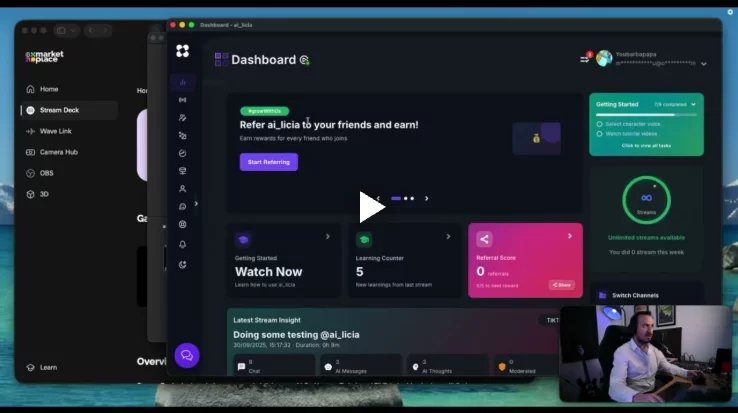
Watch our Setup video
Here’s what new:
Character Switcher
Streamers often create multiple AI personas for different moods. The Character Switcher lets you browse and select from your available ai_licia characters right from the Stream Deck. The active character is highlighted in green so you always know who’s live. Under the hood, ai_licia’s system has changed how characters are loaded, so be sure you’re running ai_licia app v1.5.7 or later to use this feature. The old character switch still works, but the new system is smoother and more reliable.
TTS Toggle
Sometimes you want ai_licia to talk out loud, other times she should stay quiet. The new Text‑to‑Speech (TTS) Toggle turns voice on or off instantly. This is invaluable when you’re co‑hosting with human guests or playing a game where audio cues matter. Hit the button once to mute ai_licia’s voice, hit it again and she picks up right where she left off.
Listen Mode
Chatting directly with ai_licia can be a game‑changer during a lives, she listens, processes and talks back without commands. The Listen Mode button starts or stops “Speak to ai_licia” mode If you’re not on ai_licia’s Go Live page, the plugin automatically redirects and starts listening. This means you never need to fumble through the app interface mid‑stream, one tap and she’s listening, another tap and she’s not.
Join/Leave Button
Sometimes you want ai_licia front and centre, other times you need to fly solo. The Join/Leave control tells ai_licia to jump into the stream or hop out. It’s useful for scheduled segments (intro, Q&A, game breaks) or when you’re troubleshooting and need silence.
Context Sender
No one likes an AI that talks out of context. The Context Sender lets you send a short note to ai_licia, for example, “we’re interviewing jellabn”, ensuring her comments stay relevant to the conversation. This quick nudge helps her remain on topic without having to type lengthy prompts.
Trigger Message
Want ai_licia to say something specific? Use the Trigger Message button to make her speak based on a predetermined cue along with optional extra context. You could make her ask a question to your guest, crack a joke or plug your sponsors with perfect timing. Because the response goes through ai_licia’s natural language pipeline, it still feels conversational rather than canned.
Setup requirements
To use the latest plugin you’ll need:
- A Stream Deck device (Mini, MK.2, XL or Stream Deck Mobile). Stream Decks are USB plug‑and‑play and come with an app for programming buttons .
- OBS Studio or another broadcasting tool set up for Twitch or TikTok Live. If you’re new to desktop streaming, our TikTok setup guide covers how to use OBS and Stream Elements Live for streaming.
- ai_licia app v1.5.7 or later. Update via your dashboard before installing the plugin; older versions won’t support the new features .
- The plugin itself, available for free on the Elgato Marketplace.
Installing the plugin is straightforward:
- Open the Stream Deck software, sign in and search for ai_licia in the Plugins tab. Click Install (Stream Deck 6.4 or later will prompt you to open in Stream Deck; earlier versions display an Install button) .
- After installation, drag the ai_licia actions from the right‑hand action list onto your buttons .
- Configure each action by selecting a character, specifying context messages or setting your default triggered phrase.
That’s it! You’re now ready to control ai_licia from your Stream Deck.
How this makes your stream more intelligent
When we say “make your stream more intelligent,” we mean giving your broadcast the ability to respond, adapt and entertain without constant micromanagement. With ai_licia running as a Twitch AI chatbot or TikTok AI chatbot, she manages greetings, responds to chat, reacts to on‑screen events, remembers returning viewers and analyse your gameplays creating the appropriate interactions. The new plugin puts even more control in your hands:
- Effortless character shifts: Switch between a hype announcer and a chill late‑night companion in seconds. Variety keeps viewers engaged without you stopping the action.
- Seamless audio control: Turn TTS on for narration segments and off for intense gameplay. You decide when ai_licia speaks, ensuring clarity and professionalism.
- Adaptive conversation: By sending context on the fly, you help ai_licia pivot topics gracefully, making her responses feel more human.
- Quick call‑outs: With Trigger Message, you can make her ask direct questions, promote new videos, support a charity exactly when it counts. No more typing mid‑stream.
These capabilities align with the core purpose of a Stream Deck: to reduce friction and keep your hands free. Pairing a Stream Deck with streaming software streamlines your workflow and allows you to focus on interacting with your audience, aligning perfectly to ai_licia’s mission. With ai_licia now fully controllable from your deck, you’re not just switching scenes, you’re orchestrating an intelligent stream.
Intelligent streaming on Twitch and TikTok
ai_licia was originally built for Twitch, but she now supports TikTok Live too. TikTok doesn’t natively support chatbots, so being able to drive an AI co‑host on that platform gives you a competitive edge. Use the plugin to join or leave your TikTok stream, toggle TTS and keep your commentary relevant while the algorithm pushes you to new audiences. On Twitch, the plugin integrates seamlessly with chat bots, channel points and overlays, helping your AI co‑host feel at home on a platform full of interactivity.
If you’re looking to build a brand around intelligent streaming tools, this plugin anchors ai_licia at the centre of your workflow. It signals to viewers that your stream isn’t just about watching someone play a game, it’s about sharing an experience with a smart, responsive companion engaging with you and your community.
Your roadmap to smarter streams
It’s been a long time coming, but the new ai_licia Stream Deck plugin is worth the wait. By combining the plug‑and‑play convenience of a Stream Deck with the conversational power of ai_licia, you can:
- Make your stream more intelligent with context‑aware voice interactions.
- Control your Twitch AI chatbot or TikTok chatbot without leaving your game.
- Reduce on‑stream cognitive load so you can focus on entertaining and building community.
Ready to upgrade? Grab the plugin from the Elgato Marketplace, update your ai_licia app and take your first steps toward a smarter, smoother streaming setup. As always, we’d love your feedback, join our community on Discord and let us know what you think of the new features.