The Hearthstone Integration Every Streamer Needs

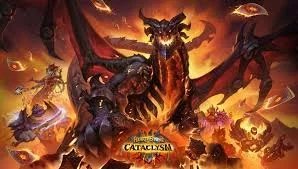
With Cataclysm, the latest Hearthstone expansion, now out for a few weeks, the meta has started to settle… and if you've been playing ladder, you've probably already run into the now infamous Druid Imbue decks terrorising the climb.
But while the ladder might feel unforgiving right now, there is some good news for Hearthstone streamers: ai_licia now has a Hearthstone integration designed specifically to make your stream more interactive without adding extra work.
Turn Your Matches Into Chat Messages
The Hearthstone integration allows ai_licia to automatically react to your matches by reading your game logs in the background. This means you can trigger automations without touching anything while you focus on your gameplay.
It’s perfect for:
- Automatic match start announcements 🎮
- Win/loss reactions 🏆
- Stream automations based on results 🤖
- Hands-free stream engagement 💬
What the Integration Can Do
Once enabled, ai_licia can automatically:
- Detect when a Hearthstone match starts
- Detect when a match ends
- Determine whether you won or lost
- Capture useful match context like:
- Game mode
- Classes played
- Match results
This allows you to build smarter automations such as:
- Celebrating wins
- Reacting differently to losses
- Triggering TTS reactions
- Updating overlays or chat
And guess what? It also works for Battleground and Arena!
How to Activate the Hearthstone Integration
Setting it up only takes a few minutes once you have downloaded the ai_licia App:
Step 1 – Open Integrations
- Open Integrations inside ai_licia
- Select Hearthstone
Step 2 – Enable the Integration
- Enable the integration toggle
- Set your Hearthstone log folder path
Usually this is:
Step 3 – Add Your BattleTag
- Enter your BattleTag
- Click Save
- Launch Hearthstone
You're now ready to go ✅
Whether you're grinding Legend, testing new Cataclysm decks, or just trying to survive another encounter with Druid Imbue, this integration helps turn your gameplay into interactive content for your viewers.
Instead of manually reacting to every result, let ai_licia handle it while you focus on your next match.