Control your lights with your voice with this Twitch AI

Many streamers use Lumia lights to easily control the visual atmosphere on their stream, or create opportunities to engage the community
Imagine that scene: You are on Stream, focused on playing for the first time that new, very intense game. You feel like you could change the lights to create an atmosphere more inline with what is happening on screen, but you don’t have the time to go to lights control software and do the change manually. That’s were you say:
Ali, can you change the lights to something that would fit a thrilling game on screen?
and a few seconds later, the lights change, to a dark red that reminds you of Oblivion’s gates.
That would be super cool right?
What if I told you it could be working on your stream in less than 10 minutes?
Let’s get started then!
Configuring your Lumia commands
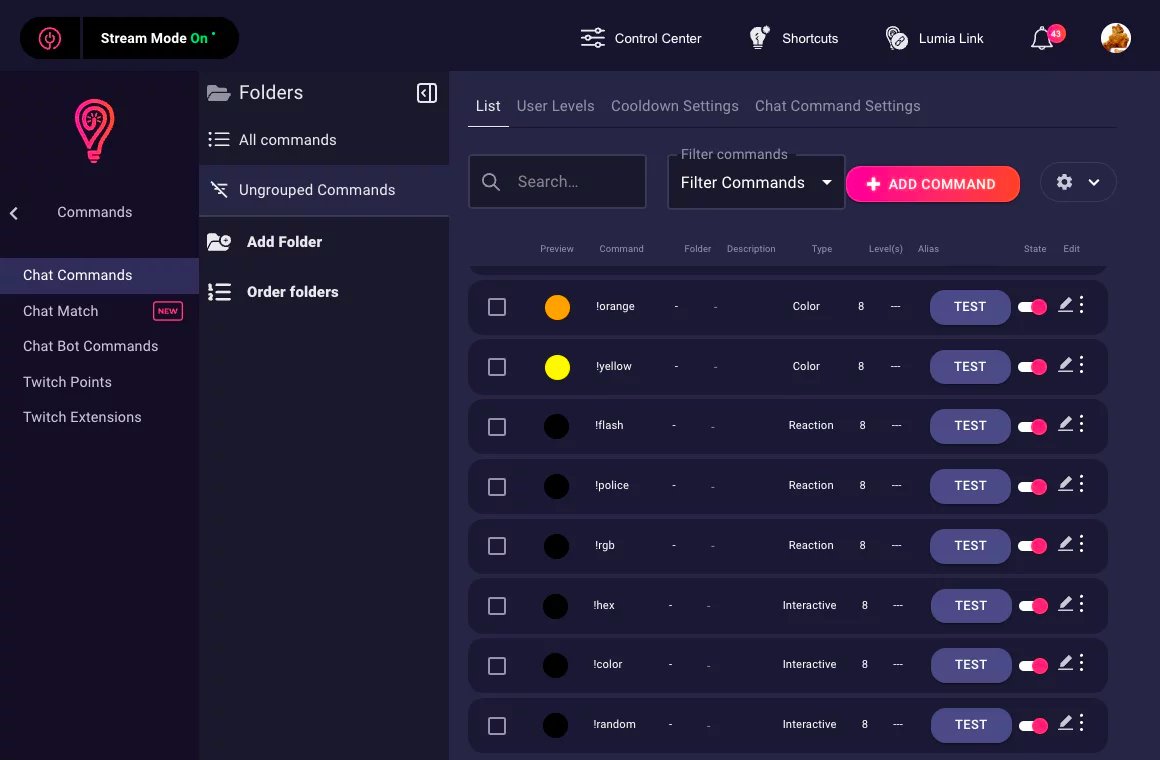
First, you need to configure your chat commands on Lumia.
Head to your Lumia dashboard, and add commands.
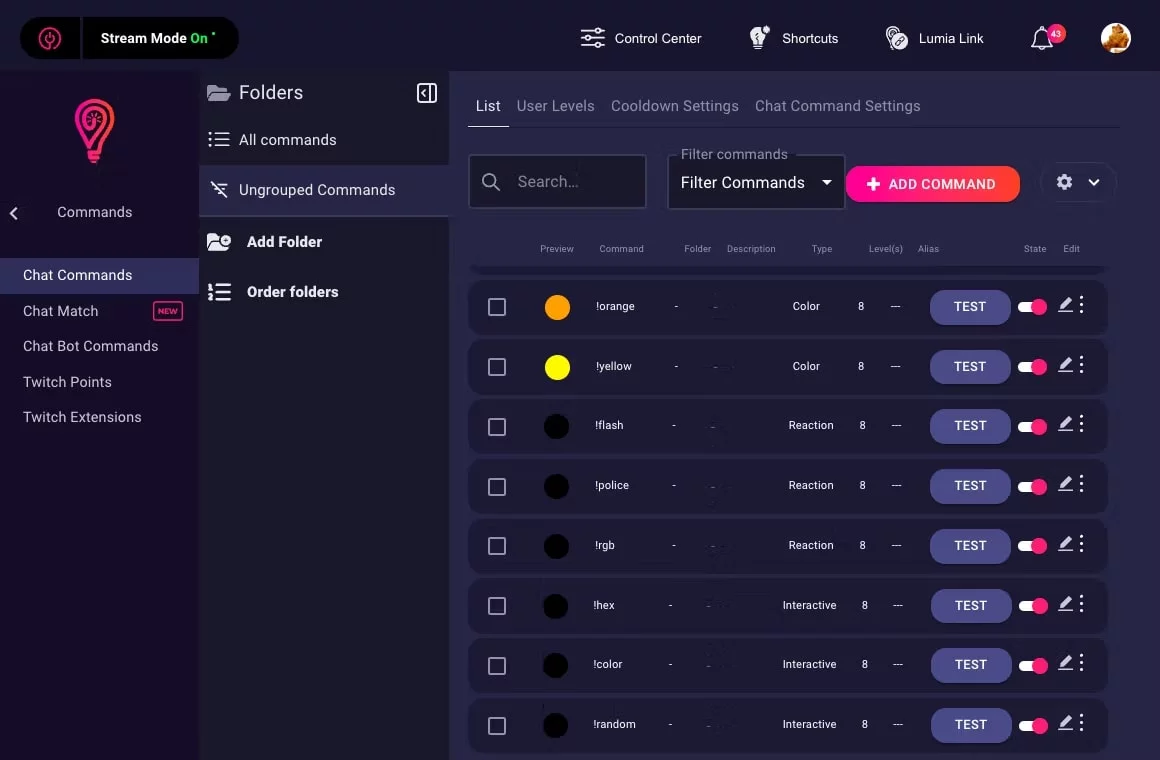
For our example, we will focus on 3 of these commands: !flash, !police and !hex.

The light patterns for !flash and !police are to have the lights flash, and emulate the sirens of a police car.
Now that we have the lights part configured, let’s take care of the AI part.
Configuring your ai_licia command
You guessed it, we are going to use ai_licia, the AI companion, to help us make the bridge between our voice and the Lumia commands.
If you don’t have ai_licia in your chat yet, sign up and claim your free streams.
Now head to the Customise ai_licia page, on the Settings tab. You will see a section to add your commands. Add the commands you defined in your Lumia dashboard, with the following descriptions.
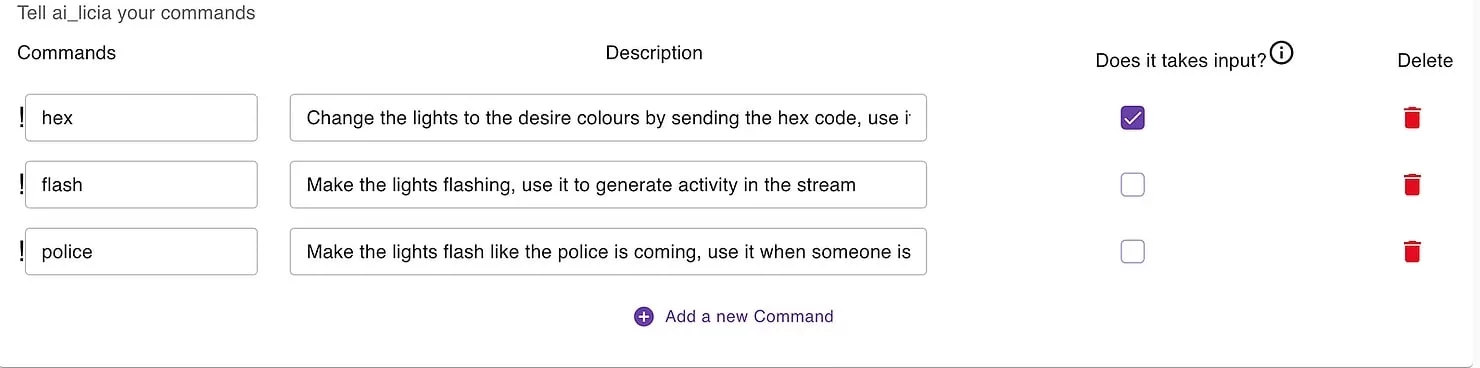
Tell ai_licia about your Lumia commands
- hex: Change the lights to the desire colours by sending the hex code, use it whenever you feel like it to create new atmosphere
- flash: Make the lights flashing, use it to generate activity in the stream
- police: Make the lights flash like the police is coming, use it when someone is sus
The hex command needs a colour in addition to writing !hex, hence why the ticked “Does it take an input” option.
ai_licia is now aware that she can uses these commands, when the situation seems appropriate, thanks to the description for each command.
Using your voice to trigger commands
Let’s take care of the voice now!
Head to the Speak to ai_licia page. If you are using Chrome or Safari, you should use the Classic mode.

Allow the usage of your microphone in your browser settings, refresh the page, and you are good to go! When you start your stream, hit that Start Listening button, and ai_licia will hear what you say.
You can now ask ai_licia to change your lights colour, trigger light effects, just by saying something like “Alicia, can you change the light to blue”!
You can explore adding commands that goes beyond just controlling the lights!
If you have more questions about how to integrate your streaming setup with ai_licia, join our Discord! We will be happy to help!