Boost Your Twitch, Kick and TikTok Live Chat Engagement with the New ai_licia Chatter Overlay

Streamers know the struggle: chat lurkers far outnumber active participants. Platforms like Twitch and TikTok Live reward engagement, so getting viewers to post messages is key, but how do you turn silent watchers into lively chatters? Enter ai_licia and the ai_licia Chatter Overlay, the ultimate overlay designed to spark activity and make your stream a hub of interaction.
What the ai_licia Chatter Overlay Does
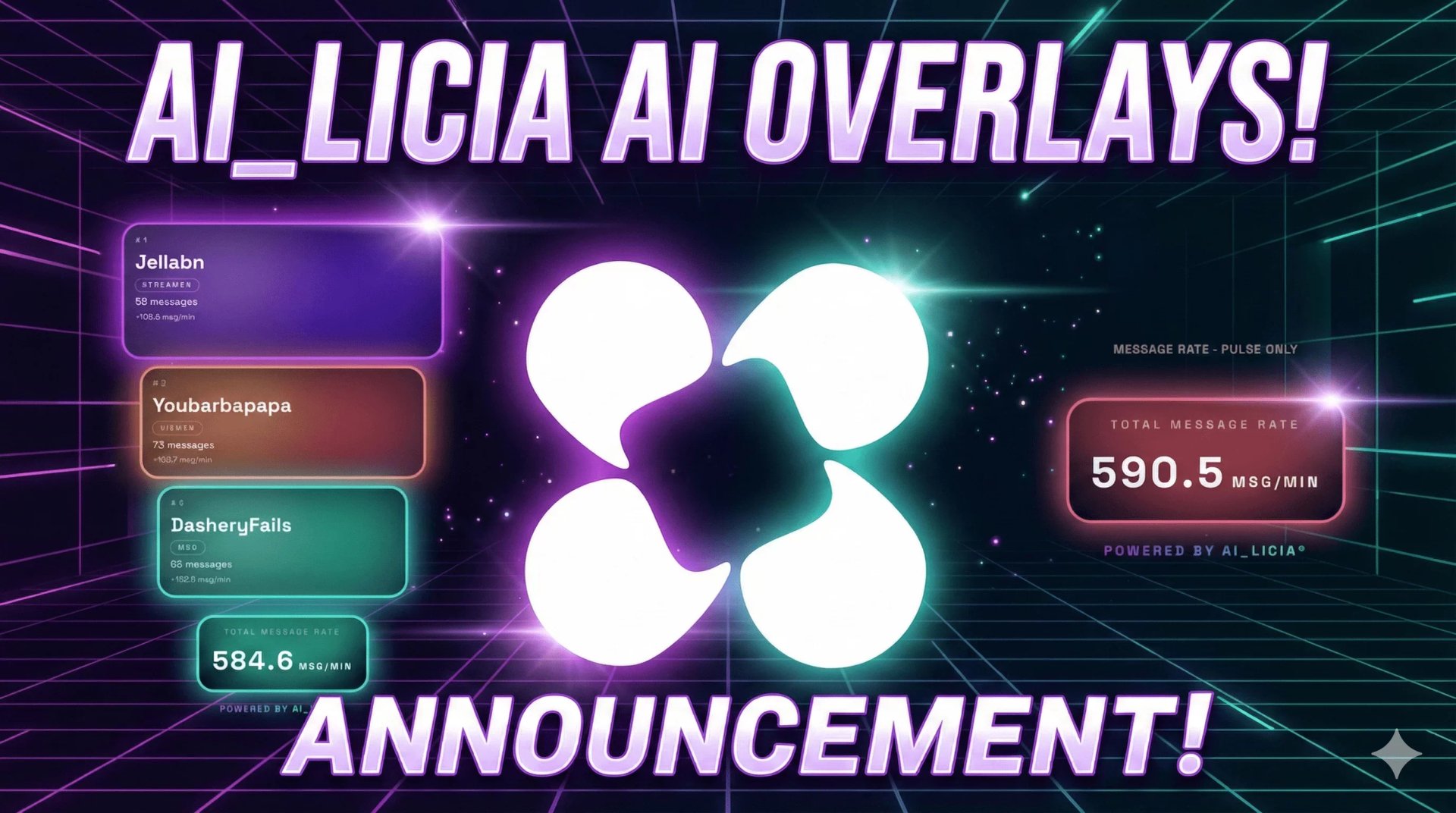
The ai_licia Chatter Overlay motivates your audience by showcasing a live leaderboard of top chatters, turning messaging into a fun, competitive experience. Key features include:
- Real-time leaderboard: Tracks messages per viewer and highlights the top chatters dynamically.
- Message rate display: Shows chat activity in messages per minute to keep competition heated.
- Role-based visibility: Customize which roles (Viewers, VIPs, Moderators, Streamers, or AI) appear on the overlay.
- Custom styling: Choose from multiple overlay themes (Aurora, Veil, Ember, Pulse, Lumen, Drift) and adjust orientation, card compactness, background opacity, and glow effects.
- Advanced branding: Match the overlay to your channel’s style with gradient overrides for top ranks and footer branding.
Whether you're streaming on Twitch or TikTok Live, the ai_licia Chatter Overlay turns passive viewers into active participants, driving higher engagement and interaction.
How to Set Up the ai_licia Chatter Overlay
Getting started is simple:
- Sign in with ai_licia® credentials and connect your Twitch or TikTok Live account.
- Configure roles to include or exclude certain users.
- Customize overlay style: select themes, horizontal/vertical orientation, message rate display, card compactness, and background opacity.
- Generate your browser source link: copy the link for either the full leaderboard or total message rate overlay.
- Paste the link into OBS or your streaming studio (recommended size: 800×500).
- Fine-tune branding and glow effects to match your stream’s energy and aesthetic.
For full configuration details, visit the ai_licia® setup page.
Why Streamers Love It
ai_licia® overlays transform passive viewers into active participants by tapping into friendly competition and instant recognition. By highlighting your most engaged fans, you create a positive feedback loop: more messages, more excitement, and a livelier community. This works whether your audience is on Twitch, Kick or TikTok Live, giving you cross-platform engagement power.
Start boosting your Twitch and TikTok Live engagement today! Check out the overlay at ai_licia® Overlays and watch your chat come alive.